Reduce manual admin
Manage vehicle records, RUC purchases, and licence updates from one place instead of juggling paper labels and individual transactions.
For fleet managers
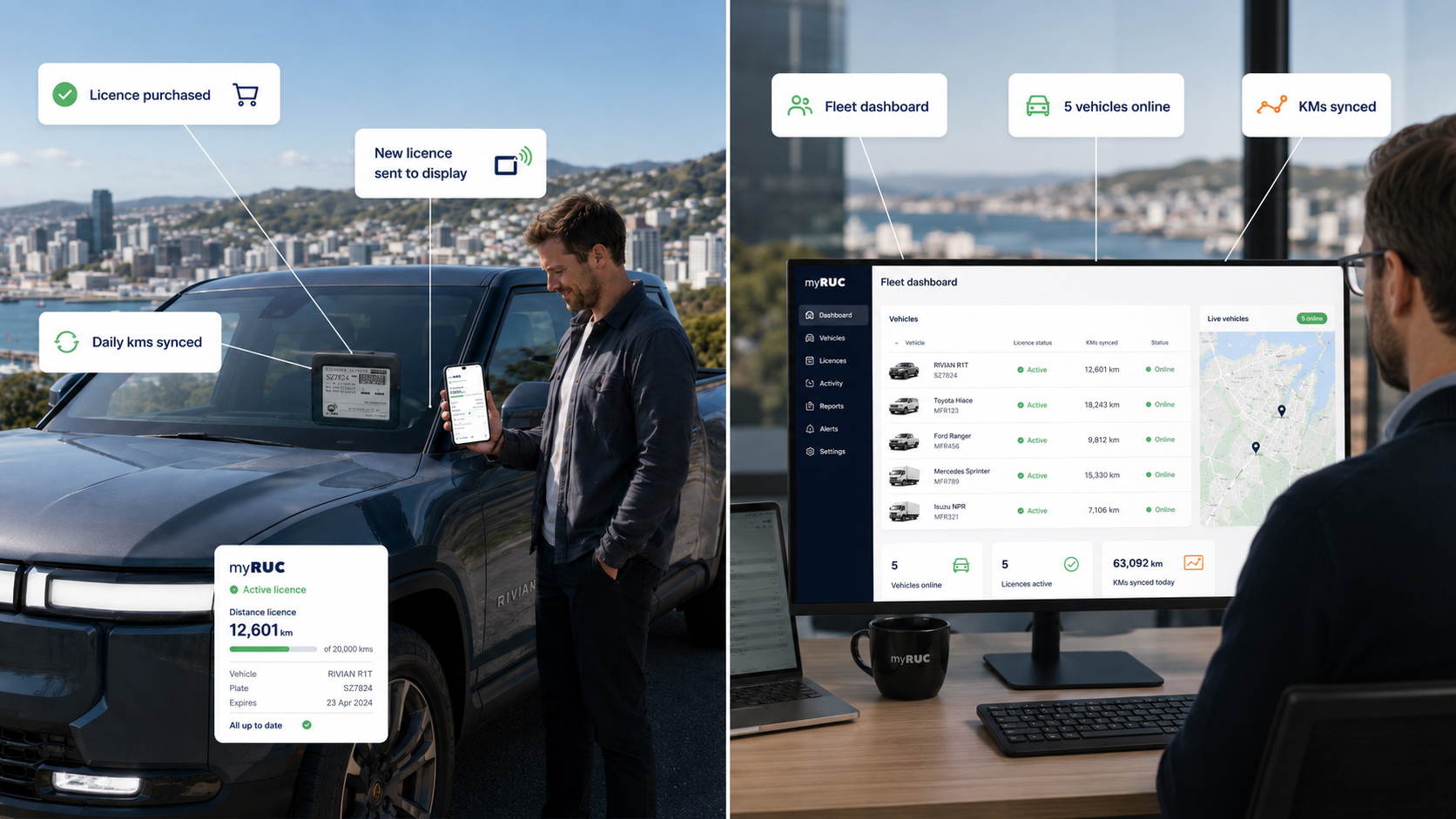
myRUC Pro brings the app, web portal, and in-vehicle e-ink display together so fleet teams can manage Road User Charges with better visibility, fewer manual steps, and stronger operational control.
Why teams use it
For owner-drivers, myRUC Classic keeps things simple. For fleet managers, myRUC Pro adds the management layer needed for multiple vehicles, internal controls, and repeatable renewal workflows.
Manage vehicle records, RUC purchases, and licence updates from one place instead of juggling paper labels and individual transactions.
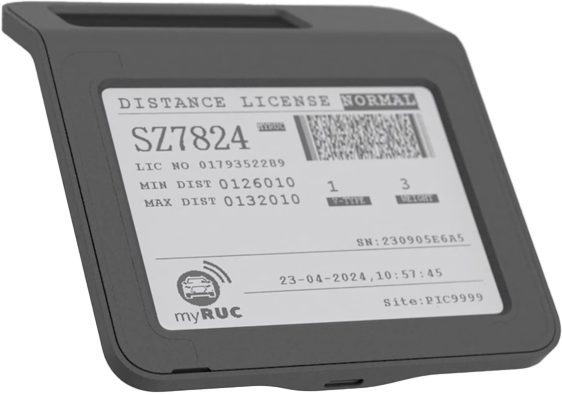
The myRUC e-ink display shows the current RUC licence in the windscreen, helping drivers keep compliant display details in view.
myRUC Pro is designed for businesses that need oversight across multiple vehicles, users, and renewal activity.
Integrated partner data can support automatic renewals, odometer-linked workflows, and off-road reporting where connected fleet data is available.
How the system fits together
myRUC combines three working parts: the in-vehicle electronic display, the mobile app, and the web portal. For fleets, that means RUC administration is no longer tied to paper labels alone or managed one vehicle at a time.
The portal holds vehicle and RUC information, the app supports updates and transactions, and the display shows the current licence inside the windscreen. With Pro, fleet managers can add administration controls and connected workflows on top.
See the full processProcess
The goal is straightforward: centralise setup, reduce admin friction, and keep the displayed licence aligned with the latest RUC activity.
Add vehicles in the myRUC portal, assign the display to each one, and keep core fleet details together in one operational view.
Handle RUC transactions through myRUC instead of relying on each driver to manage purchases separately.
Transfer the current licence information to the in-vehicle e-ink display so the windscreen record matches the latest transaction.
Use Pro features such as portal access, reporting, user controls, and direct debit workflows to support day-to-day fleet administration.
Operational features
myRUC Pro is intended for businesses that need more than a driver app. It is designed to support admin visibility, repeatable transactions, and connected fleet workflows.
Best fit
Next step
Talk to the myRUC team about Pro, telematics-connected renewals, reporting needs, and how the platform could fit your current fleet operations.